English
DownLoad Interactive software SDK, include Unity, UE, ToucherDesigner TUIO client sample code.
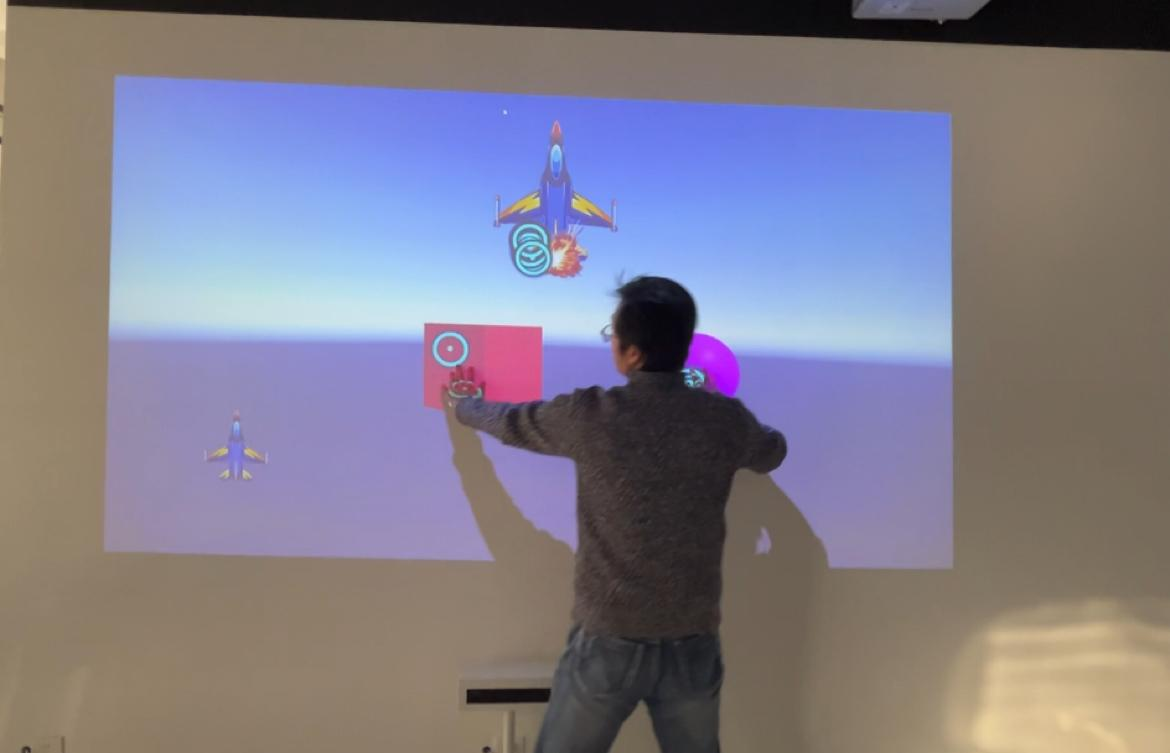
Kleader has many developed interactive effects. The underlying architecture of the development method and SDK support multiple protocols. Users can conduct secondary development according to their own needs. Here we introduce in detail the development tutorials of several common protocols and the docking of protocols. Help Users develop more interesting and unique interactive effects.
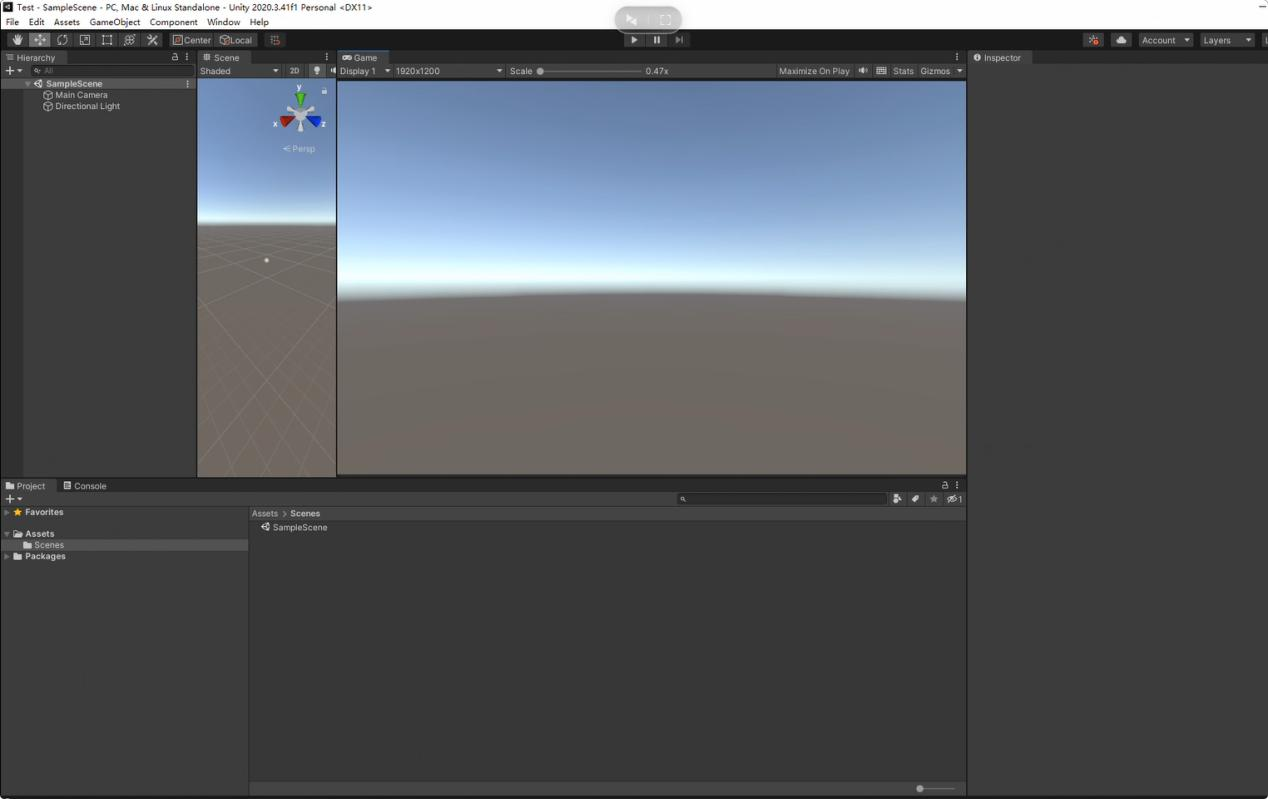
1. The first step is to create a new application project. Unity version 202.3.41 or later is recommended.
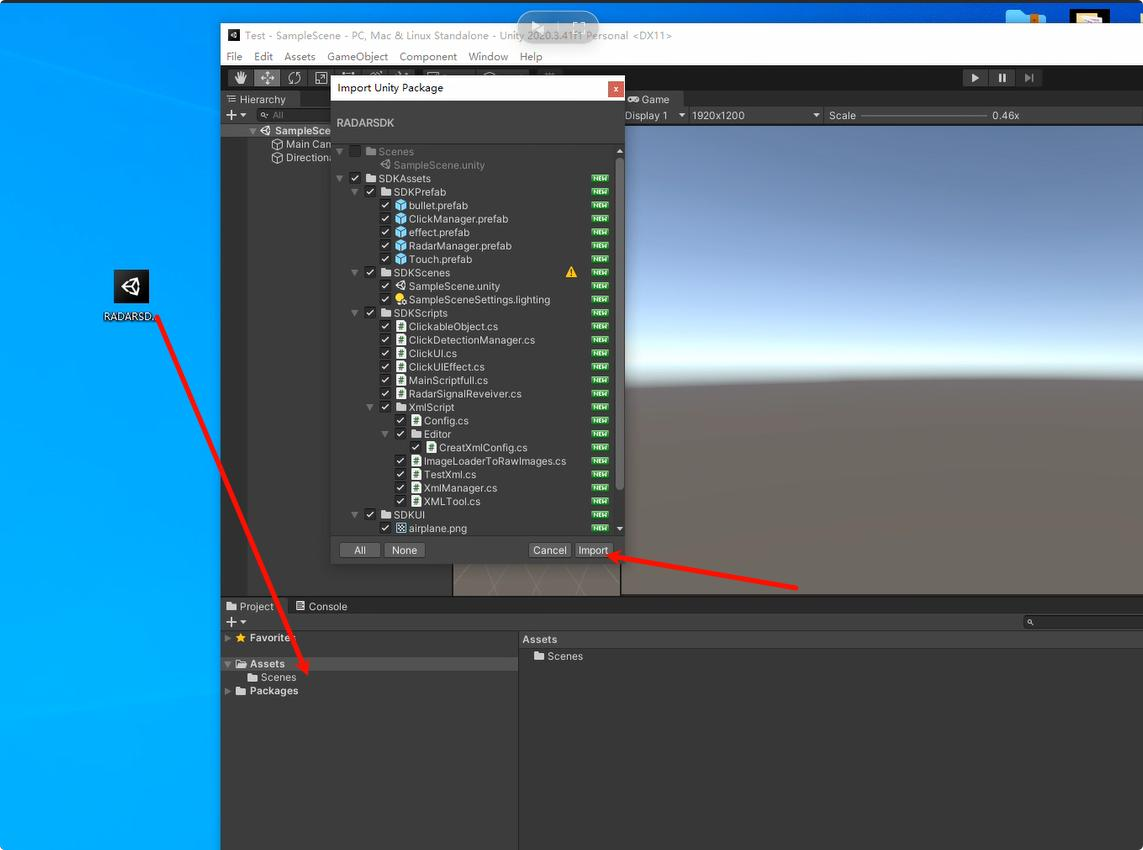
2. Import RADARSDK.unitypackage into your project:
3. Open the sample scene SDKssets/SDKScenes/SampleScene
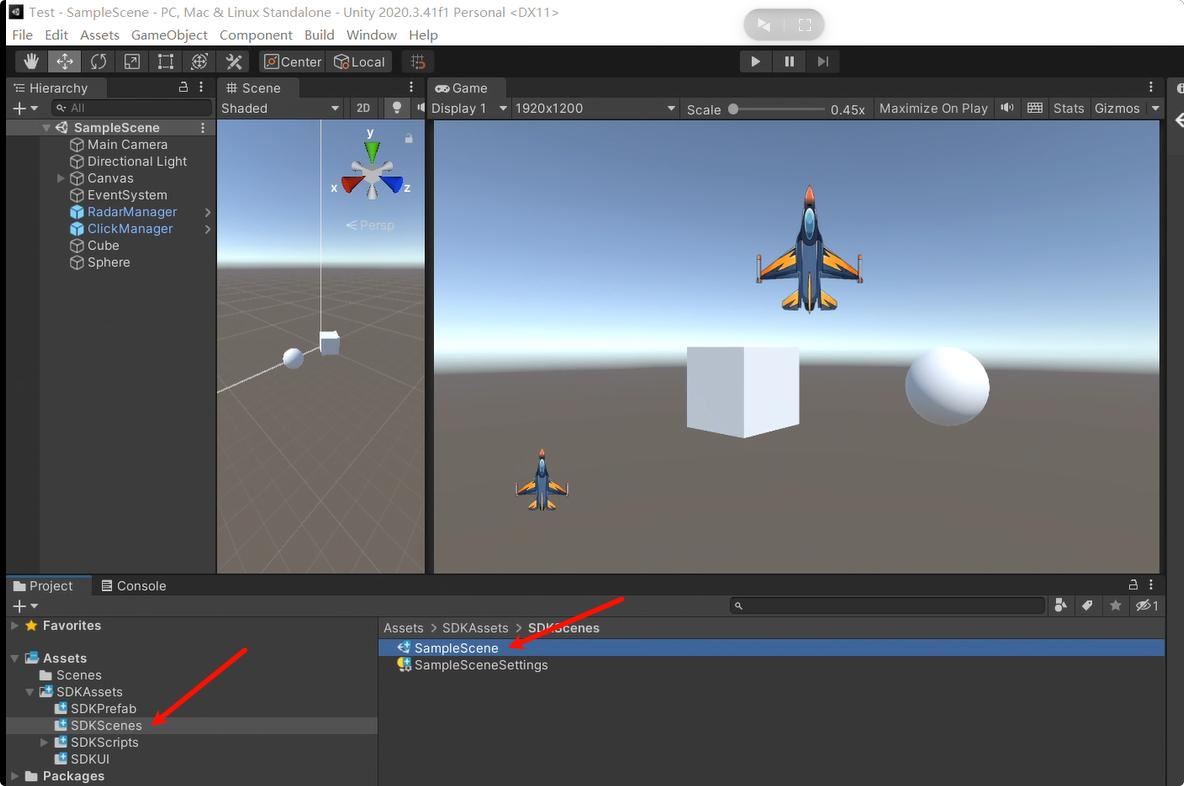
Here we provide examples of how to implement interaction with 3D objects and UI controls.
4. How to create your own interactive scenarios?
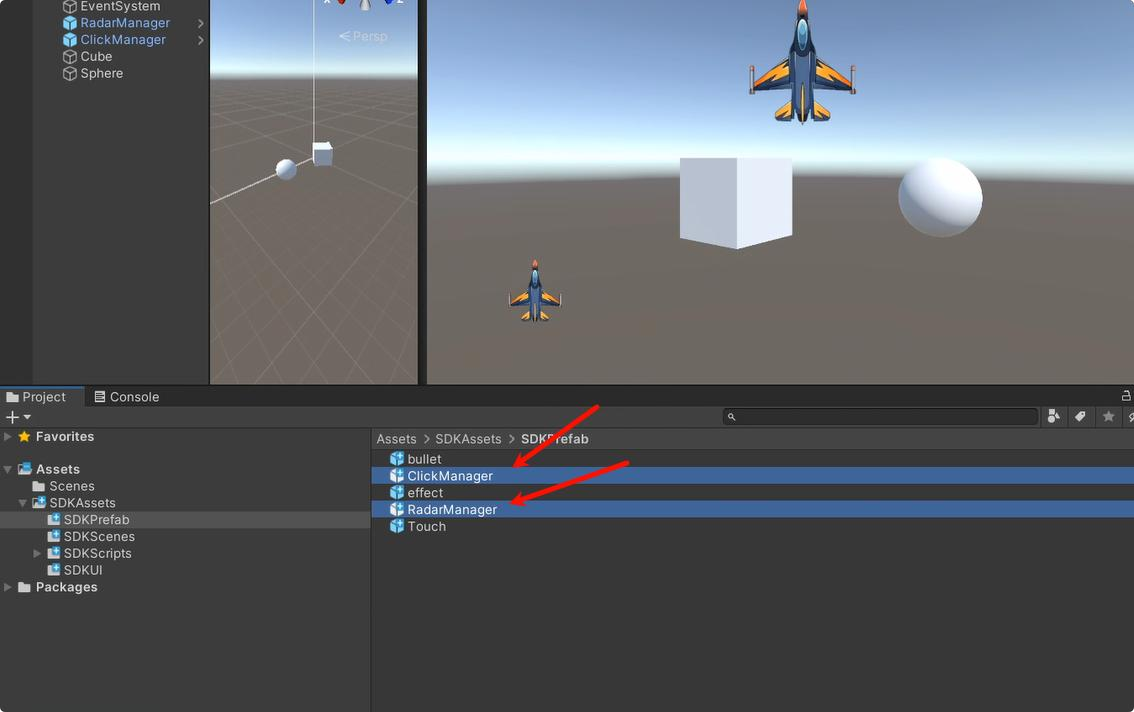
1). Drag the RadarManager and ClickManager prefabs into your scene.
2). If your UI controls want to obtain interaction information, you only need to make your script inherit the IClickableUI interface.
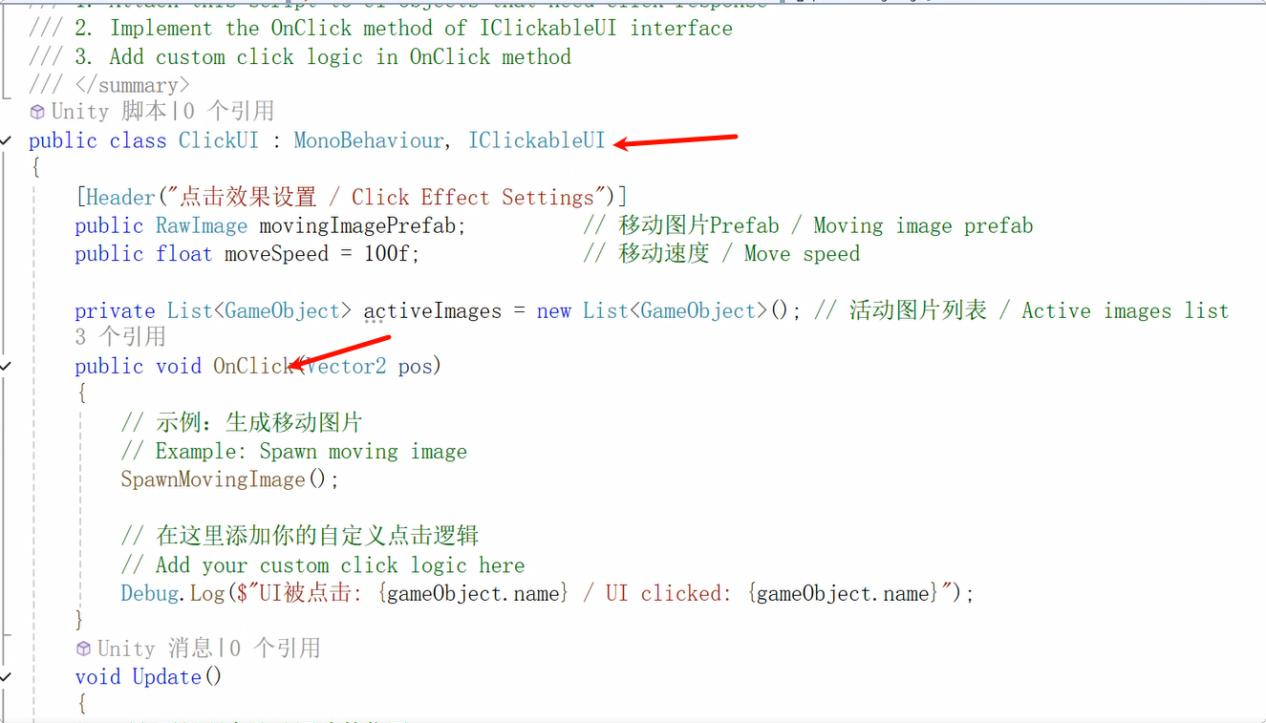
Implement your own interaction logic in the OnClick method.
3). If your object wants to obtain interactive information, you only need to have your script inherit the IClickable3D interface.
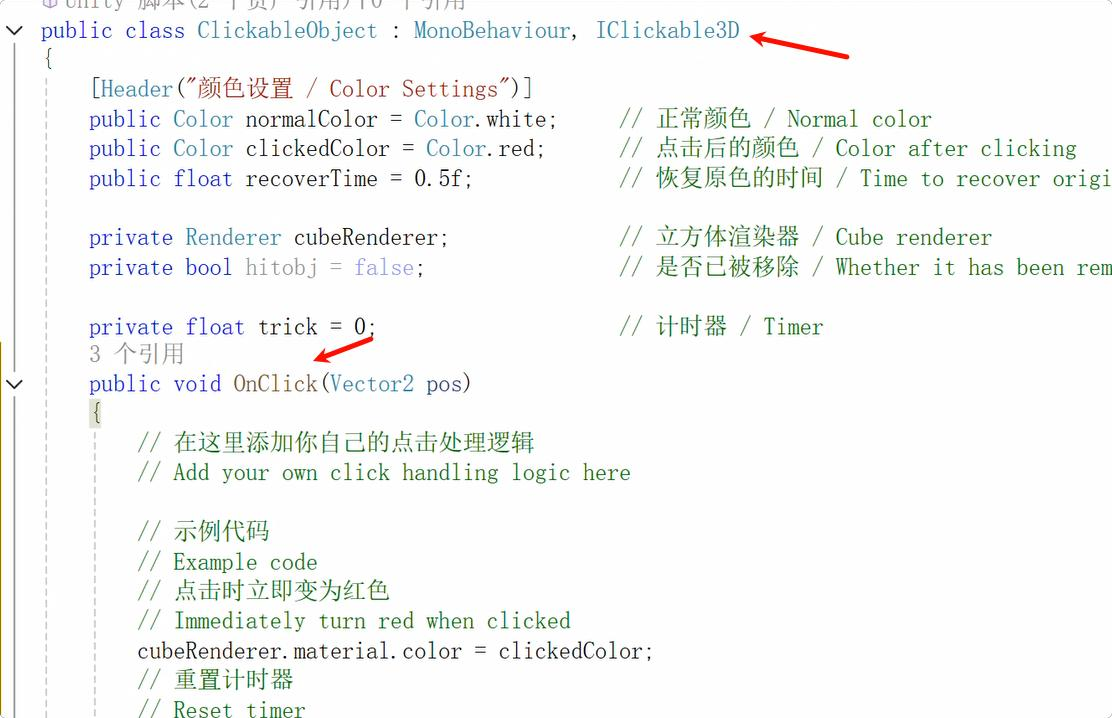
Implement your own interaction logic in the OnClick method.
4). Use the simulator for testing. If you don't have radar or it's inconvenient to connect to radar for testing, you can use our simulator for testing.
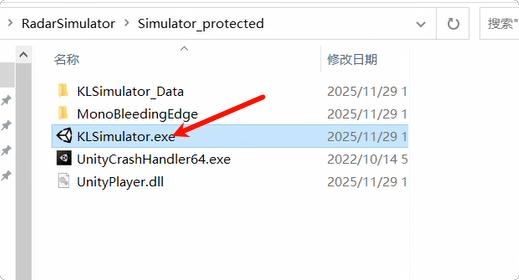
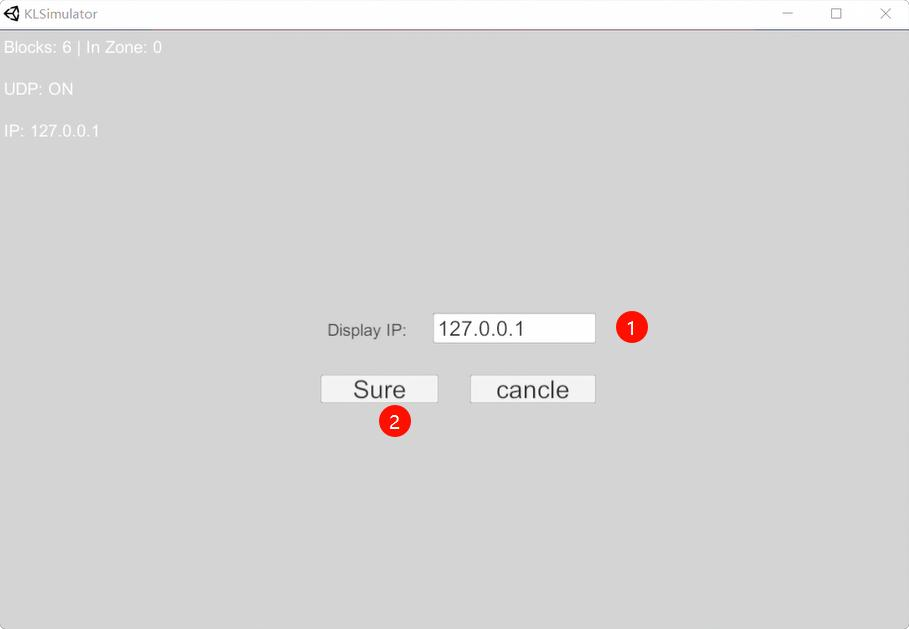
After opening the emulator, enter the IP address of the computer being displayed and click OK. Please ensure that the emulator computer and the display computer are on the same local area network and the same network segment. It is recommended to run both programs on one computer. Then click Sure.
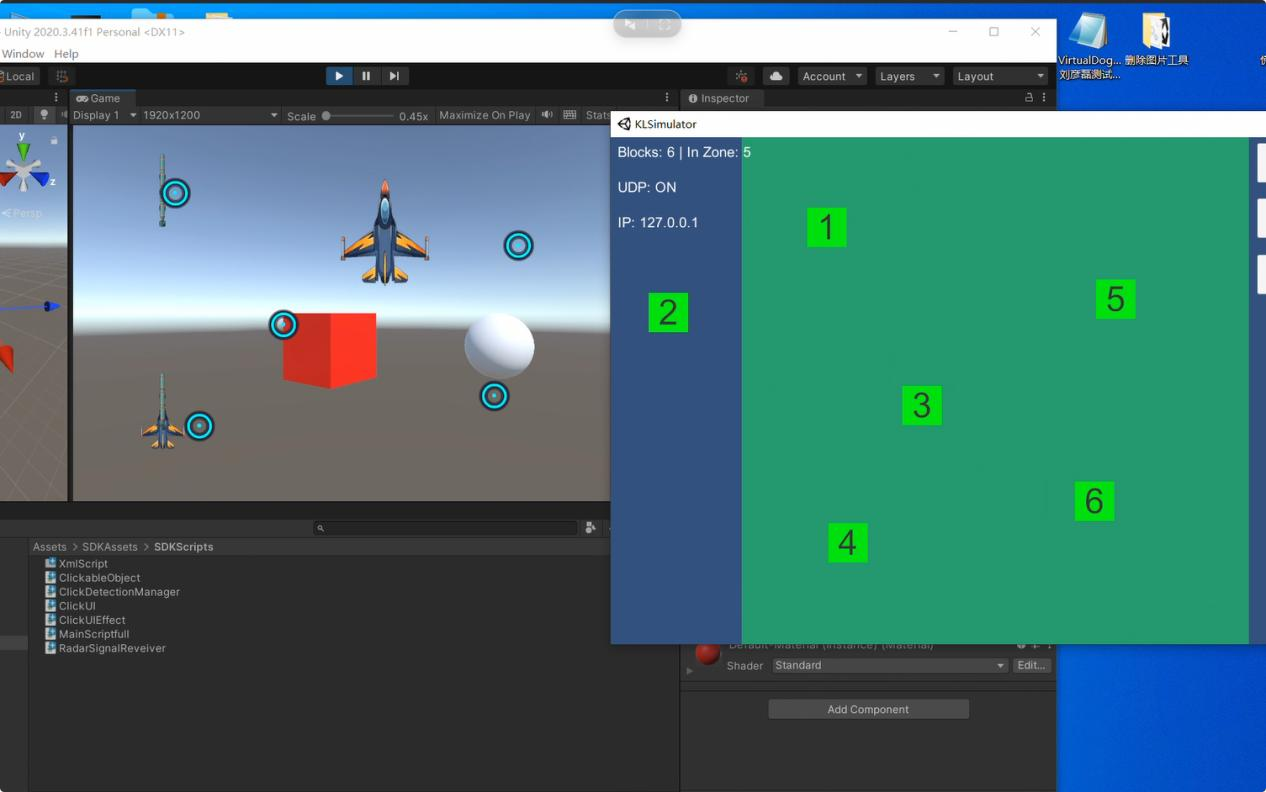
Run your program in the editor and drag and drop the simulator blocks to simulate radar interaction points.
5). release
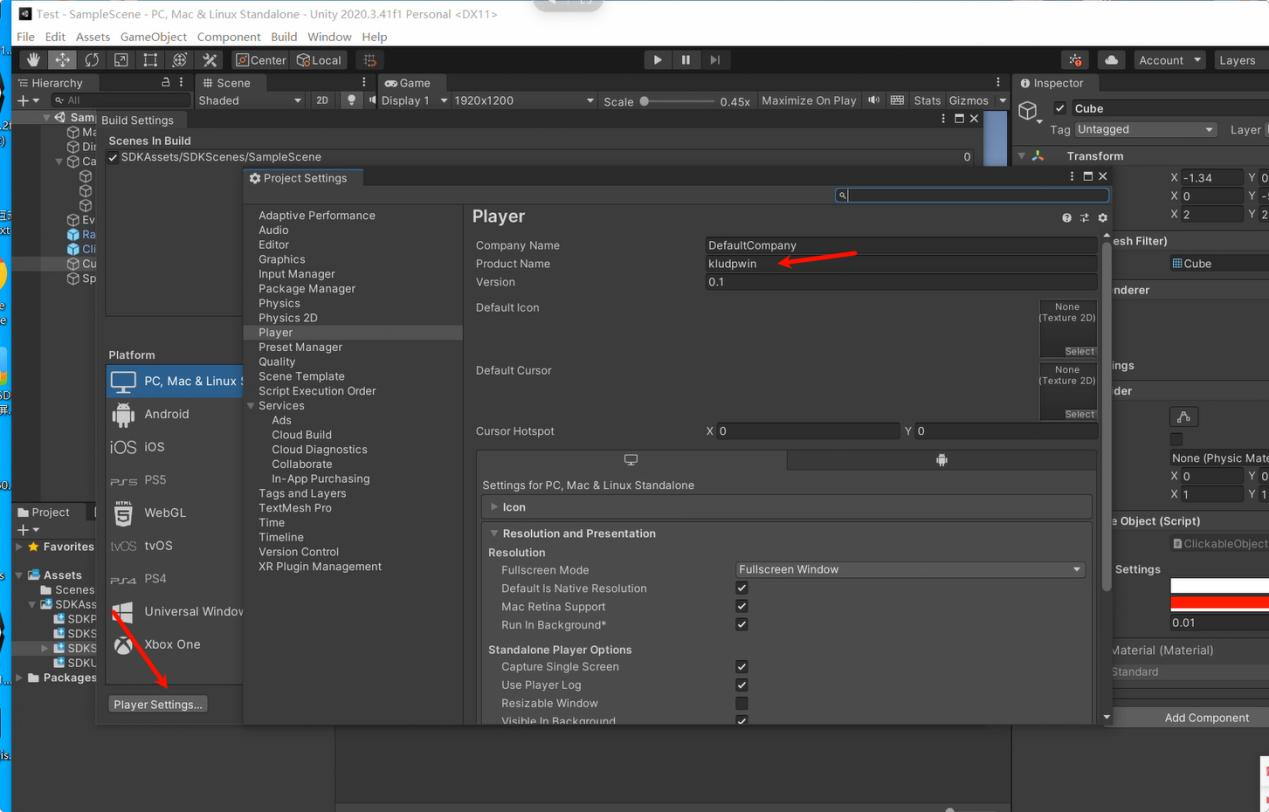
Please set your program's Product Name to kludpwin. This will allow our interactive system to
send interactive data to this application.
It really is a radar test.